The need for a master MIDI clock to manage a dawless desktop studio, an Eurorack setup, and even a DAW has never been bigger. After getting a ton of requests for a master MIDI clock recommendation, we decided to pit two of the leading contenders against each other so that our readers could determine which device is best for their application. We employed four reviewers, a live ambient artist who utilizes desktop modules and guitar, an Eurorack enthusiast, a drummer and an In-The-Box musician who has been dissatisfied with the timing of Ableton, to get an objective evaluation of each device. Their comments are in quotes below.
If you’ve spend any time on Instagram, you’re likely to have seen an advertisement for the Sim’n Tonic Nome II, which is like a rash on the social media platform. That said, if you’re a tech-savvy guitarist, you’re also probably aware of Step Audio, and their variety of MIDI solutions for guitarists with the Tempode being their most popular solution. Let’s start with the Sim’n Tonic.
Sim’n Tonic Nome II Review
The story of the Sim’n Tonic Nome II begins not in a product development lab, but in the lived frustration of a musician who simply could not find a tool that worked. Simon Lasnier, a French musician living in Denmark, needed a reliable MIDI master clock for his band. Every solution he tried was inaccurate, overly complicated, or unstable in a live context. Faced with a market that seemed indifferent to this foundational problem, he built one himself. The first prototoype, handmade during the COVID-19 lockdowns of 2020 and initially called the “MIDI device for Ed” after the friend who inspired it, was a bare circuit board with no aesthetic pretension whatsoever. It simply worked. That was the point.
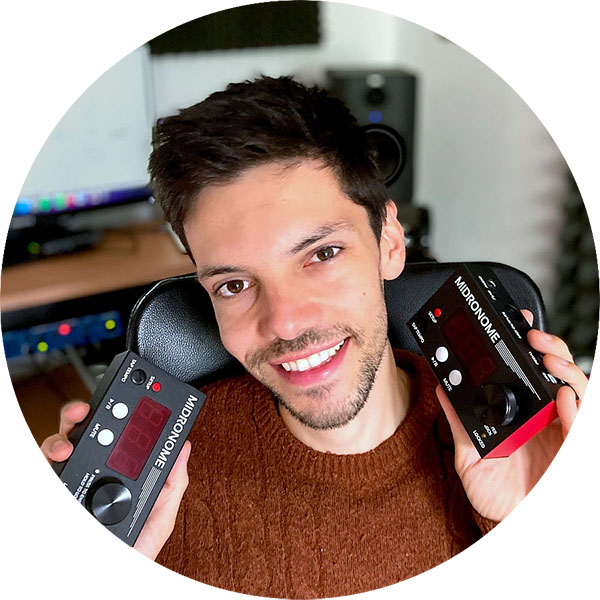
Lasnier continued developing the design through 2020 and 2021, then launched it on Kickstarter in 2022, achieving over 1100 backers. The response was strong enough for Lasnier to launch Sim’n Tonic as a full-fledged company. The Nome II followed, a second-generation unit with improved hardware and functionality informed by real user feedback. The communal product development cycle was kept in place and Simon remained active on forums, answered support questions personally, and incorporated user feedback directly into each subsequent firmware release. The community shaped the device as much as any engineering brief.
Lasnier continued developing the design through 2020 and 2021, then launched it on Kickstarter in 2022, achieving over 1100 backers. The response was strong enough for Lasnier to launch Sim’n Tonic as a full-fledged company. The Nome II followed, a second-generation unit with improved hardware and functionality informed by real user feedback. The communal product development cycle was kept in place and Simon remained active on forums, answered support questions personally, and incorporated user feedback directly into each subsequent firmware release. The community shaped the device as much as any engineering brief.
The Nome II introduced multicolor LEDs beneath each button, a revised add-on module interface designed for future expansion peripherals, and several internal electronic improvements. Functionally, the Midronome firmware crossed over to the Nome II largely intact, ensuring continuity for existing users while the second-generation unit set a new foundation for further development. The firmware evolution from that point has been substantial and continuous: FW 2.0 added MIDI Notes Forwarding and sync to a 24ppq signal with improved sync to DAWs. FW 3.0 introduced U-SYNC 1.0. FW 4.0 added Start/Reset for the analog output, tempo presets, and full support for time signatures. FW 4.5 added Custom Metronome Click Sounds. FW 5.0 added Smart Tap Tempo, sync to 1–12 ppq signals, tempo decimals down to the 100th, plus Count-off and Tempo Nudging. The pace of development, and the degree to which it has been steered by real-world user feedback, is genuinely impressive for a product at this price point.
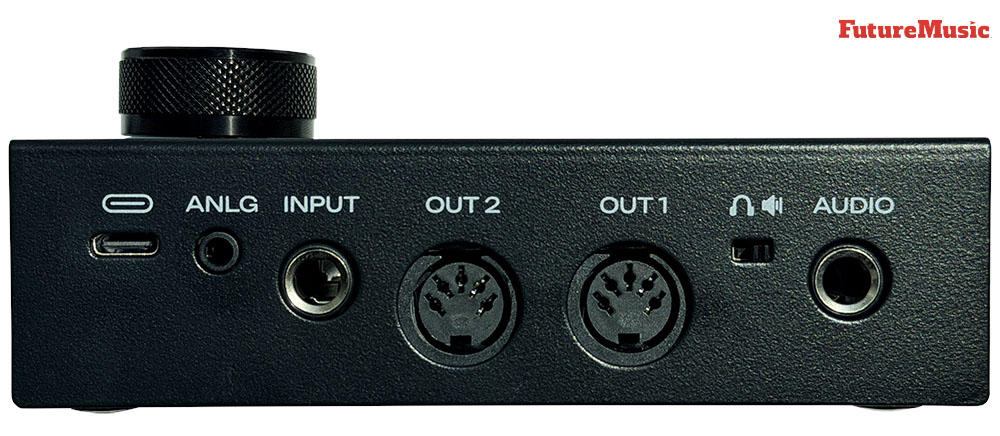
At its core, the Nome II is a hardware MIDI master clock. Its job is to define the tempo and to start every connected machine at exactly the same moment, in exactly the right phase relationship. It outputs that clock on two DIN-5 MIDI ports with less than five nanoseconds of jitter when running in standalone master mode, a figure that renders DAW-based software clocking, with its characteristic jitter in the tens or hundreds of microseconds, essentially irrelevant as a precision reference. Two analog clock outputs on a shared 3.5mm TRS jack extend the device’s reach to Eurorack modular systems and vintage synthesizers, configurable from 1 to 24 pulses per quarter note, and compatible with the Roland DIN Sync standard used on machines like the TR-606. A 6.35mm output delivers the audio metronome, while a multi-function 6.35mm input accepts two pedals simultaneously, a drum pad trigger for tap tempo, or an analog clock input for slaving the Nome to an external source.
U-SYNC is the feature that elevates Nome II beyond a standalone clock box and into the territory of a genuine DAW integration tool. On macOS, a single USB-C cable is all that is needed: U-SYNC’s companion software handles bidirectional synchronization between the Nome and the DAW at sub-microsecond precision, allowing either device to initiate transport and ensuring that recorded hardware tracks land precisely on the DAW grid without any manual nudging. On Windows, the method is different but the result is comparable: a VST/AU/AAX plug-in generates an audio sync track that the Nome reads via its analog input, achieving sample-rate accuracy. Both approaches invert the usual sync chain, rather than the DAW acting as clock master and generating jitter-laden MIDI clock messages, the Nome becomes the timing reference and the DAW follows it. This architectural reversal is, in practical terms, the central insight of the entire product.
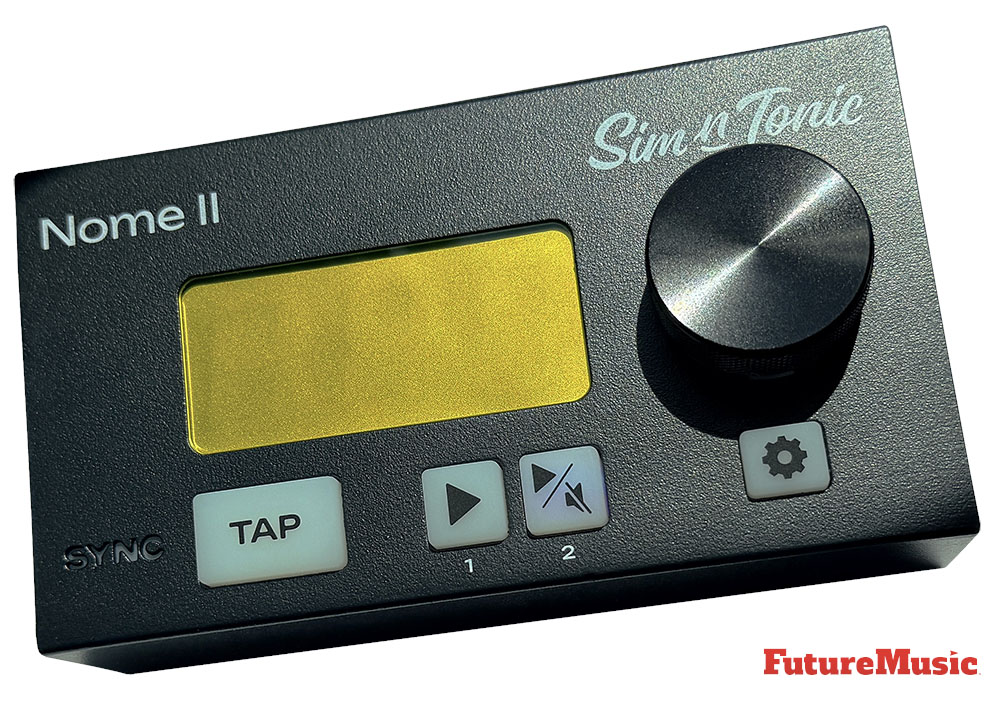
The audio metronome is a thoughtful addition that extends the device’s usefulness into live performance. Sixty built-in click sounds are provided, with an additional four slots for user-uploaded custom samples. Volume and character are independently adjustable for downbeats, eighth notes, and sixteenth notes, supporting time signatures in /2, /4, /8, and /16. A solid all-metal enclosure, a large rotary encoder for tempo, a high-visibility yellow LED display, and ergonomically considered button placement round out a physical design clearly intended for the pressures of the live stage. Fifty recallable tempo presets, each storing BPM and time signature together, can be triggered via the front panel, a connected footswitch, or MIDI commands over USB.
To understand why the Nome II has gained traction, one must first appreciate just how badly conventional MIDI clocking fails in real-world practice. MIDI has existed since 1983, yet anyone who has seriously attempted to record multiple pieces of hardware in synchrony with a DAW will recognize a catalogue of chronic frustrations: the drum machine that sits 10 milliseconds behind no matter how the offset is tweaked, the sequencer that feels locked until bar 32 when a subtle drift becomes audible, the recorded audio that requires manual nudging to land on the grid. The problem is structural. A modern DAW is simultaneously processing audio buffers, executing plug-in chains, refreshing its interface, and managing dozens of other low-priority tasks. MIDI clock generation competes with all of them, and it often comes up wanting. The resulting jitter is not a bug in any one piece of software, it is an inherent consequence of asking a general-purpose operating system to perform real-time precision timing on shared hardware.

The easiest way for electronic musicians to get their music onto Spotify, Apple Music, iTunes, Amazon Music, Tidal, Instagram, Facebook, TikTok, Pandora, Twitch & much more! Click the banner above or the Go Button to save 7% off of your signup! GO!
The Nome II’s approach sidesteps this problem entirely. By housing the clock generator in dedicated embedded hardware, it removes the DAW from the timing chain altogether. The sub-5-nanosecond jitter specification in standalone master mode is not a marketing approximation, it represents the difference between a precision oscillator running on a microcontroller with a single responsibility and a software clock process competing for CPU cycles. After years of chasing timing problems across MIDI offset settings and interface latency compensation panels, the problem disappears, since the Nome II simply does not drift.
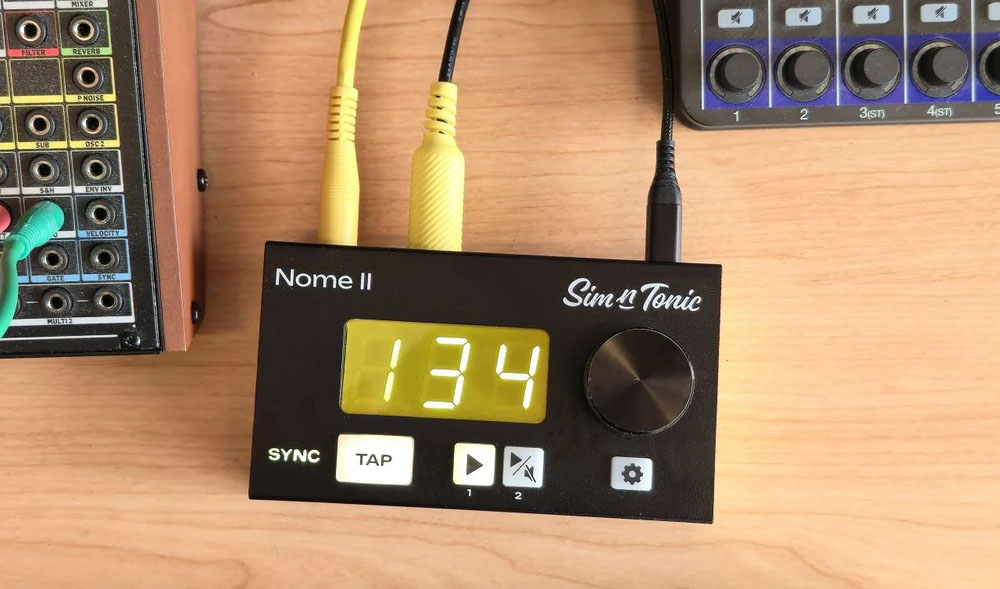
The metal enclosure, roughly the footprint of a large guitar pedal at 132 by 75 by 37 millimeters, features a large rotary encoder for tempo adjustment and it can be grabbed and turned accurately even in poor lighting, or easily during a live set. The bright yellow LED display showing the current BPM is readable from across a stage. The multicolor LEDs beneath each button, a new addition in the Nome II, provide at-a-glance status information about active outputs and modes. USB bus power means no wall adapter is required, if the device is connected to a computer running U-SYNC, the single USB-C cable handles both power and data. However, if you’re controlling a Eurorack or live setup, a USB-C cable and brick are necessary. The overall impression is of a “device designed by someone who actually performs live” and has “thought carefully about what musicians need.”
U-SYNC, currently macOS-only, is where the Nome II most convincingly differentiates itself. Setting it up in Ableton Live, Logic Pro, or any other supported DAW involves installing the companion software, loading a plug-in or control surface, and making a handful of configuration adjustments. Once calibrated, the synchronization is genuinely remarkable. Hardware synths record directly onto the DAW grid without post-processing. Tempo changes in the DAW propagate to the Nome and thence to all connected hardware. The new version, U-SYNC 1.3, significantly expands the functionality, with bidirectional control and connection of multiple devices now possible. The latency adjustment range of plus or minus 100 milliseconds provides ample room to compensate for gear with inherent MIDI response delays, such as the Roland TR-1000 which introduces approximately 50 milliseconds of its own latency when receiving MIDI clock. (Why a $2500+ dollar drum machine does this is beyond comprehension. —Ed.)
U-SYNC, currently macOS-only, is where the Nome II differentiates itself…
The analog clock outputs deserve particular attention, since they represent the Nome II’s bridge to hardware that predates MIDI entirely. Two independent analog outputs, each configurable from 1 to 24 ppq, cover the needs of virtually all Eurorack modules and vintage synthesizers with sync inputs. The 0-to-5 volt, 5-millisecond pulse format is broadly compatible, and DIN Sync output for Roland’s vintage ecosystem is achievable with a simple passive adapter. The ability to configure an analog output as a gate signal, a start/stop trigger, or a periodic pulse at user-defined intervals gives modular synthesizer users a level of flexibility that goes well beyond basic clock distribution.
MIDI note forwarding, added in firmware 2.0, is a noteworthy feature that may fly under the radar for many users. It means the Nome II can accept note and controller data over USB from the DAW and merge it cleanly with the outgoing clock stream, without any jitter contamination. It works by placing the device handling note messages in a separate queue that cannot disrupt clock timing. This makes it possible to use the Nome II as a single-cable MIDI hub for a hybrid studio, routing both timing and musical data from a computer to connected hardware through the device’s DIN outputs.
The metronome system is well-conceived and quite useful. Smart Tap Tempo, introduced in firmware 5.0, goes beyond simple tempo averaging. It matches both the speed and the phase of the tapping gesture, so that connected machines start in alignment with the performer’s feel rather than merely at the correct tempo. The count-off mode, which allows a performer to tap one bar to set tempo and immediately launch all connected machines, is an elegant feature for live performance.

Native Instruments Absynth 6 Review
Native Instruments has successfully rebooted Absynth in many positive ways and laid the foundation for the next generation of users. Native Instruments Absynth 6 Review
Our reviewers found the Nome II to be quite useful, solving sync problems that had “plagued musicians for quite some time” and “an essential tool for anyone wanting to synchronize multiple MIDI devices.” As one evaluator reflected, “if you’re tired of fighting timing drift, puzzling over MIDI offset settings, or fighting against recordings that won’t line up, this box takes all that friction out of the process.”
For all its genuine accomplishments, the Nome II arrives with some deficits. None of these shortcomings invalidates the device, but taken together they sketch a picture of a product that has solved its primary problem with admirable precision while leaving several surrounding problems for the next version to address. The most significant omission is the absence of swing and shuffle functionality. The E-RM Multiclock, one of the Nome II’s competitors, offers per-output shuffle and timing offset controls. The Tempode also does not provide swing or shuffle functionality. Swing has become one of the most foundational rhythmic tools in popular music production, and the inability to apply a global or per-output shuffle from the master clock means that producers working in groove-oriented styles must apply it elsewhere in their chain, introducing exactly the kind of clock-source fragmentation that the Nome II is designed to eliminate. For electronic producers working in house, hip-hop, techno, or Drum ‘n’ Bass, this is a meaningful limitation rather than a niche edge case.
The restriction of U-SYNC to macOS is a second material weakness. Windows represents a substantial portion of the music production market, and the current workaround, a VST plug-in that generates an audio sync track requiring a dedicated audio interface output, adds complexity and hardware dependency that the Mac workflow avoids entirely. The jitter specification of less than one sample is technically excellent, but the setup friction is meaningfully higher. Sim’n Tonic has acknowledged that a Windows version of U-SYNC is in development, but its absence at the time of this writing leaves Windows users out in the cold.
The settings are navigated through an abbreviated notation system on a small LED display, which is cryptic…
Two MIDI DIN outputs is a constraint that came up with our testers. The easy workaround, using a separate MIDI Thru box, is entirely functional and does not introduce measurable timing degradation with the Nome II’s clock signal. But it adds cable complexity and hardware cost to setups where four or more MIDI devices need direct connections.
Ableton Link support is also not available and would be “an incredible addition.” Link has become the de facto standard for tempo synchronization among networked devices and apps, particularly in live and improvisational contexts. Its omission limits the Nome II’s interoperability with iPads, iPhones, and a growing ecosystem of hardware that includes Link as a native sync option. For producers and performers who have built workflows around Link, this is something to note.
The on-device interface, while functional, has a learning steepness that the documentation has not yet fully addressed. The settings are navigated through an abbreviated notation system on a small LED display, which is cryptic. The device also lacks any MIDI DIN input port. This means that hardware that needs to send MIDI data to other hardware cannot use the Nome II as a MIDI merge point without an additional external merger. Maybe the add-on module interface on the side of the device is a would be able to fulfill this need in the future.
Sim’n Tonic Nome II Summary
The Sim’n Tonic Nome II is exactly what it claims to be: a simple, stable and precise MIDI master clock that solves the synchronization problems that have frustrated hardware-oriented musicians for as long as MIDI has existed. Its sub-nanosecond standalone jitter is a tangible, audible improvement over software-based clock solutions. U-SYNC, for macOS users, represents a genuinely novel approach to DAW-hardware integration that is easier to configure and more accurate than any audio sync track method. The build quality, the large-encoder ergonomics, and the thoughtful live-performance features communicate that this device was designed from direct personal experience of the problems it solves. At $249, it positions itself between the low-cost, limited-functionality alternatives and the considerably more expensive E-RM Multiclock.
It is also worth acknowledging what the Nome II is not trying to be. It is not a sequencer, not a full MIDI router for note data, and not a fully featured sync hub with per-channel shuffle, LFO outputs, and deep preset management. It is a master clock, and within that defined scope it performs exceptionally well. The question is whether that scope is wide enough for any given user’s needs, and the honest answer is that for a substantial portion of musicians, particularly those working in relatively simple hardware-plus-DAW setups, dawless live performance rigs, or modular-centric studios, it is more than sufficient.
Simon Lasnier’s continued personal engagement with the user community, the consistent pace of firmware improvements, and the roadmap of promised features, including Windows U-SYNC, per-output latency compensation, and potential expansion modules, all suggest that the Nome II is a product in active and responsive development rather than a finished object. That developmental arc is genuinely encouraging, and it is one of the more unusual aspects of this corner of the market: a hardware product that has meaningfully improved through free firmware updates, guided by the people who actually use it.
Sim’n Tonic Nome II Features:
- Master synchronization of MIDI and analog synced devices
- <5 nanoseconds MIDI clock jitter for ultra-stable clocking
- Sync hardware instruments to record directly on the grid in a DAW
- Synchronize modern and vintage MIDI devices with vintage Din-Sync and CV/Gate devices
- Onboard metronome with 60 sound options for sync with live musicians
- Selectable headphone or line level modes for metronome audio output
- Supports tempos from 30 to 400 BPM
- Supports time signatures from 1 to 99 beats per bar
- Multi-function input supports pedal footswitches, drum pads or external analog sync
- Robust metal chassis
- Large, bright display with adjustable brightness
- Dimensions: 5″ x 3″ x 2.1″ / 128 x 76 x 54 mm
- Power: USB-C 5V bus power

Support Ambient Music
StretchMetal and the Atmospheric Music Alliance are raising $5000 to support ambient music events taking place across the United States, and virtually with the Atmospheric Music Alliance. Contributions will go directly toward artist and venue fees, production support and the continued development of AMA. Please consider donating today!
Step Audio Tempode Review
There is a certain kind of inventor who is drawn to music not just for its emotional and artistic dimensions, but for the fascinating engineering problems that live underneath it. Bill Wardlow is one of those people. He founded Molten Voltage in late 2006, operating out of the Oregon Cascade Range, and his heritage in technology is anything but ordinary. His grandfather, George Devol, invented the first digital, programmable robot, the Unimate, back in 1954, a machine that represents the foundation of the modern robotics industry. Bill started programming in 1979 at the age of ten, and playing guitar and writing songs at age four.
The origin story of the company that would eventually produce Tempode is almost charmingly humble. Sitting around the breakfast table at his grandfather’s home in Connecticut in 2006, George asked Bill to build a cell phone ringer amplifier since he couldn’t hear it from another room. Bill was looking for a new project and had been playing with electronics since childhood, so he dove in and figured it out. That spark of problem-solving lit a fuse that would eventually lead to one of the most focused and useful tools in the modern guitarist’s pedalboard arsenal.
After developing a line of chips he called Molten MIDI, Bill went on to create the PedalSync line in 2010, intended for manufacturers and the DIY crowd. He knew that MIDI-enabled effects were the future and decided to create a line of modular pedalboard MIDI controllers. In 2016, Bill rebranded from Molten Voltage to Step Audio, limiting his products specifically to those protected by intellectual property law, having been a practicing IP attorney since 1999.
However, convincing guitarists that MIDI wouldn’t hurt them was an uphill battle that he didn’t expect. “I spent years jumping up and down at NAMM trying to convince pedal makers to use MIDI and my line of custom control chips,” Wardlow reveals. “The response was almost universally negative.” The turning point was when Bill approached Joel Korte, who was working at Zvex. “I ended up convincing Joel that MIDI was the future. Zvex then introduced a few MIDI pedals, but then Joel left to start Chase Bliss. While they don’t use my chips, we are still friendly and I’m happy he was able to become a MIDI evangelist. Once they blew up, lots of companies followed.”
The Tempode itself was first introduced to the market under the Molten Voltage banner in May 2014, born from the then-recent eruption of guitar effects that synced to MIDI Clock, which by that point had yielded over fifty pedals from twenty different manufacturers including Meris, TC Electronic, Zvex, Source Audio, Eventide, and Moog. The product filled a real and pressing gap: guitarists with MIDI-capable effects had no convenient, purpose-built, pedalboard-friendly clock source. The Tempode was designed to be exactly and only that. Under Step Audio, the device was reissued in response to continued customer demand, and the current version carries meaningful upgrades over the original Molten Voltage release.
Improvements upon the original include a crystal oscillator timing consistently accurate to a 25,000th of a second, enhanced MIDI filtering, additional external MIDI tempo and button control via Control Changes, and program saving. The reissue is manufactured under KAOM Inc., the parent company behind Step Audio, and continues to be built in Oregon, USA.
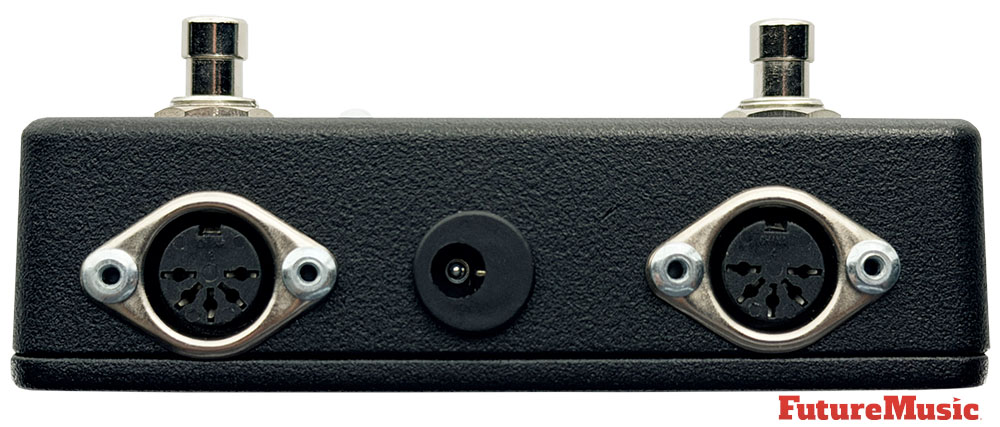
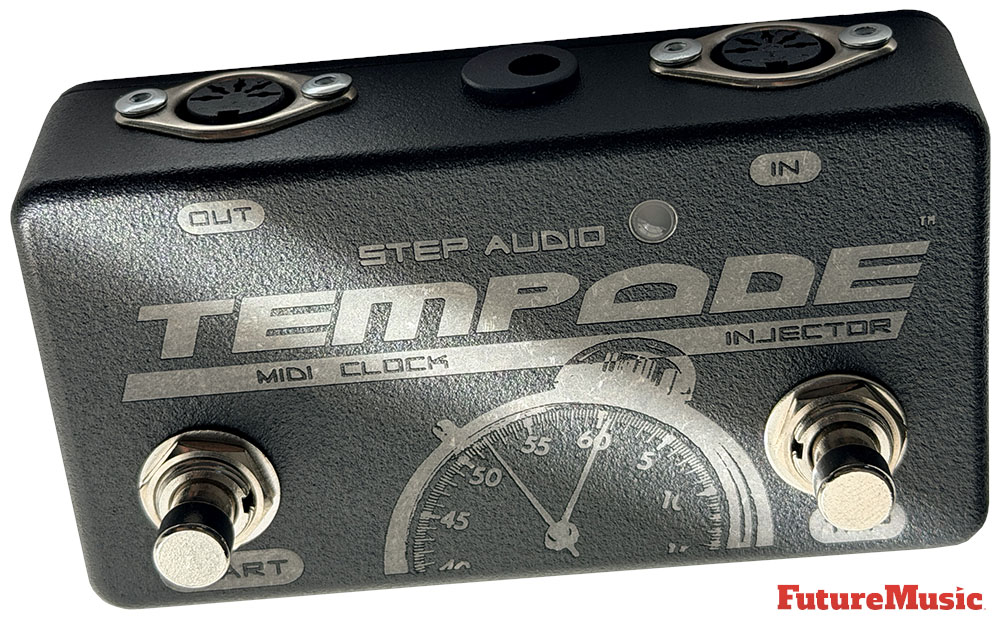
In terms of its feature set, the Tempode is a study in simplicity. It is a programmable MIDI Clock Injector that adds MIDI Clock to an existing stream of MIDI data, or works as a stand-alone device. The two primary controls are a TAP button and a Start button, and the entire user experience flows from those two points of contact. The Tap button performs two separate functions: Tempo Control and Program Storage. Pressing it two or more times adjusts the tempo to the interval between the last two taps, with the new tempo starting right after the second or most recent tap. The maximum tap interval is 2.5 seconds, corresponding to 24 BPM, and the minimum tap interval is 0.2 seconds, corresponding to 300 BPM. Holding down the first press of the Tap button for more than 2.5 seconds causes Tempode to save the current tempo at the selected program location.
The Start button is used to start and stop the MIDI Clock data output. Pressing it when MIDI Clock is stopped will cause a MIDI Start command to be sent, followed by a constant stream of MIDI Clock data. Both the tap tempo and the start/stop function can also be driven by incoming MIDI Control Change messages, giving the Tempode genuine integration potential within larger and more complex rigs. Tempode will respond to MIDI Control Change messages on Channels 1 or 15 (default), with dedicated CC numbers for Start/Stop toggle, Start/Stop discrete, Tap Button simulation, and Tempo across full, low, middle, and high ranges.
The MIDI implementation is thoughtful and practically minded. MIDI Song Select, Program Change, Control Change, Pitch Bend, and Note On and Note Off data received at the MIDI In jack is repeated at the MIDI Out jack. All other MIDI data is filtered out. Tempode injects MIDI Clock data as well as MIDI Start and Stop messages into the filtered data stream. This filtering and injection architecture is what earns the device the “injector” part of its name: it does not simply pass MIDI data along wholesale but actively manages the clock stream in relation to whatever other MIDI messages are traveling through it.
The MIDI implementation is thoughtful and practically minded…
Tempode stores the MIDI Clock tempo for 128 programs. Programs are recalled when a MIDI Program Change message is received on the same MIDI Channel as Tempode. Upon receipt of a Program Change message, the tempo associated with that program is recalled. If MIDI Clock is being sent, any new clock speed is used immediately. An optional MIDI Clock Auto-Start feature means that receiving a Program Change can automatically kick the clock running if it wasn’t already, a particularly useful behavior for guitarists who want their rig to snap into sync the moment they call up a preset on their MIDI controller.
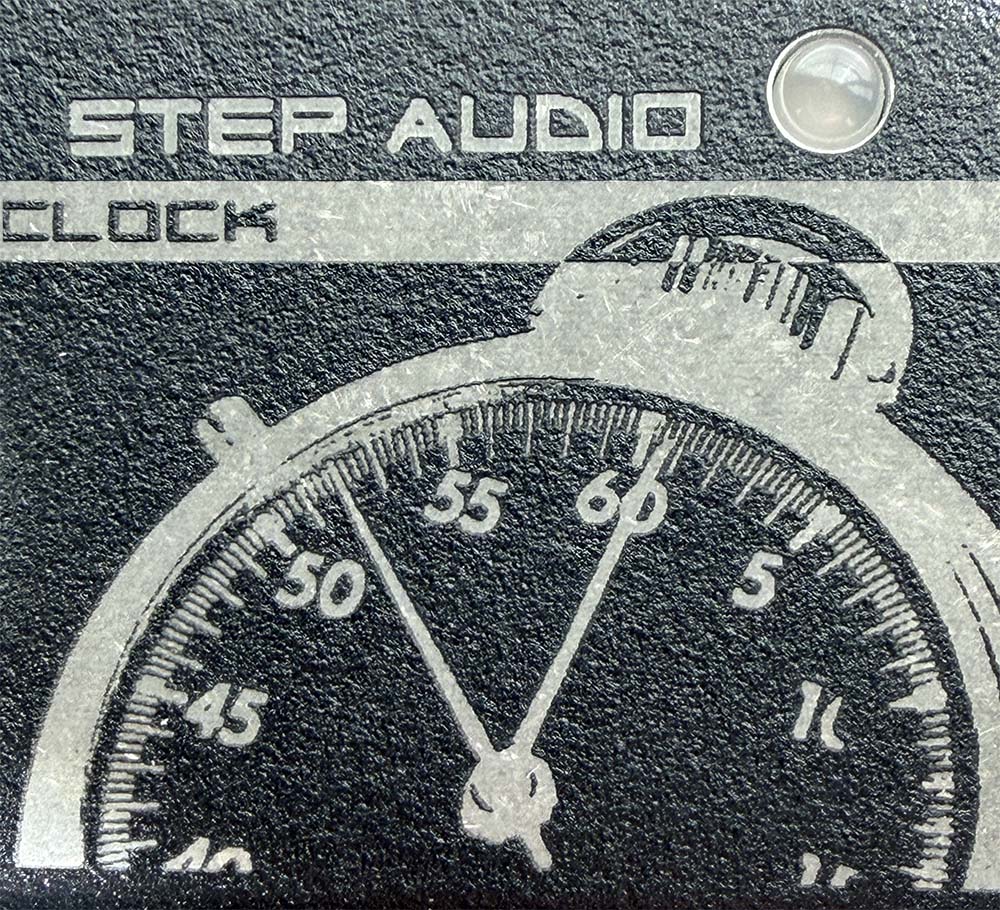
A two-color Red/Green LED provides status indication. When MIDI Clock is being sent, the LED flashes Green. When the clock is stopped, the LED flashes Red. The LED always flashes in time with the current tempo at quarter-note intervals. The physical enclosure measures 4.5 inches wide by 2.6 inches deep by 1.9 inches tall, making it pedalboard-friendly, and the construction includes riveted steel MIDI jacks. Power requirements are a standard 9-volt DC, 2.1mm, center-negative supply with a minimum of 120mA; current draw is approximately 150mA, and the device always requires a discrete or isolated power source.
The compatibility list is extensive and continues to expand. Strymon’s Mobius, TimeLine, and BigSky, Eventide’s full H9 and factor series, the Moog Moogerfooger line, TC Electronic’s flagship delays and reverbs, Boss, Roland, Fractal Audio, Pigtronix, Electro-Harmonix, Source Audio, and dozens more all appear on Step Audio’s official roster of compatible devices. The Tempode is likewise compatible with most major MIDI foot controllers including units from Voodoo Lab, TheGigRig, Keith McMillen Instruments, Tech 21, Rocktron, and Behringer, enabling it to accept incoming Program Changes that recall stored tempos automatically.
A good MIDI clock generator has to do one thing above all else: it has to be stable. Everything else is secondary. Jitter, the tiny timing fluctuations that plague software-based clocks and inferior hardware implementations, is the silent killer of synchronized pedalboard rigs. The Tempode is Clock-Solid. Using a dedicated device eliminates the problems inherent in jittery laptop clocks. Updating over 25,000 times a second ensures Tempode’s accuracy. A standard MIDI clock operates at 24 pulses per quarter note (24 PPQN), which means that at 120 BPM there are 48 MIDI clock messages being sent every second. The Tempode’s crystal oscillator manages its internal timing at a rate that is over a thousand times finer than the PPQN resolution of the MIDI standard itself, providing a foundation of stability that the attached devices can reliably lock onto.
Our evaluators found setting up and running a Tempode is frictionless. The two-button interface described in the specifications translates in practice into something that genuinely does not require a manual to understand. You tap a tempo. You hit Start. The clock runs. Your pedals sync. The Tempode’s two-button operation offers familiar footing for guitarists to tap in a beat and start and stop the MIDI Clock. One of our evaluators is a drummer who plays live Drum ‘n’ Bass and he found using the Tempode to not only “effortless” but also had “perfect timing.”
The inline injection behavior is one of the Tempode’s most practically valuable capabilities. In most working pedalboard rigs, a MIDI controller already exists in the chain: a Voodoo Lab Ground Control, a GigRig G2, a Behringer FCB-1010, or any number of other foot controllers that send program changes and control changes to the effects downstream. The problem is that most of these controllers do not generate MIDI Clock. They handle the organizational side of MIDI but leave the timing side entirely unaddressed. The Tempode slots directly into that gap. It not only works as a stand-alone pedal, but is designed to enhance clockless MIDI controllers. The controller sends its program changes into the Tempode’s MIDI input, the Tempode filters that data appropriately and injects its clock into the stream, and the combined MIDI output then feeds whatever effects are downstream. It is an elegant design that respects the existing infrastructure of a working rig.
Step Audio Tempode Features:
- Stand-alone or Inline PedalBoard MIDI Clock Generator
- 1 / 25,000th of a second Tap Tempo control
- Syncs numerous modern guitar effects
- Stores and recalls tempo for 128 programs
- Start/Stop and Tempo can be remotely controlled with MIDI Control Change messages
- Optional MIDI Clock Auto-Start on Program Change
- MIDI Input Filter and Repeater
- Commands other compatible Molten Voltage devices to self-program
- Robust construction, including Riveted Steel MIDI Jacks
- Two-color LED for pedal status
- 128 program storage
- Compatible with all major MIDI controllers
The 128-program storage is more than adequate for any realistic live performance scenario. The ability to store a different tempo for each program means that a guitarist can move through an entire setlist, recalling preset tempos automatically as the MIDI controller steps through its own presets, with no manual tempo entry required. MIDI Clock Auto-Start ensures that upon receipt of a Program Change message, the clock will begin sending automatically if it was not already doing so. For a working musician who wants to walk onstage and have everything simply work, this behavior is invaluable.
The Control Change implementation adds a layer of remote programmability that more advanced users will appreciate. Control Change 11 allows Tempo at full range, mapping 0 through 127 to tempos from 24 to 278 BPM in even increments, while CC 80 simulates a tap button press, CC 85 provides discrete Start/Stop control, and CC 86 toggles the start/stop state. This means an external controller can drive virtually every function of the Tempode remotely, making it fully automatable within a complex MIDI rig. A guitarist could, theoretically, have their entire setlist programmed into a master MIDI controller that recalls tempos and starts clocks without any manual interaction whatsoever.
The MIDI filtering behavior is clean and predictable. MIDI Song Select, Program Change, Control Change, Pitch Bend, and Note On and Note Off data received at the MIDI IN jack is repeated at the MIDI OUT jack. All other MIDI data is filtered out. This selective pass-through behavior prevents the kind of MIDI message congestion that can develop in a chain with multiple devices and multiple message types, while ensuring that the messages that actually matter to downstream effects continue to flow unimpeded. The filtering is not configurable by the user, which is appropriate given the Tempode’s design philosophy of simplicity, though it does have implications that will be addressed later.
Tempode uses the same rock-solid proprietary MIDI Clock algorithm that drove Molten Voltage’s Master Control. The Tempode takes that proven clock engine and packages it in a simpler, more focused, and more affordable device. Users of the Tempode have employed it successfully to start and stop devices like Roland’s TR-8 drum machine and to provide MIDI clock to other pedals, drum machines, and synthesizers. The cross-domain applicability of the device, its usefulness in modular synthesis contexts, DJ rigs, and lighting control systems that respond to MIDI Clock, extends its value proposition well beyond the core guitarist audience, even if that core audience remains its primary market.
The Tempode’s greatest strength is its simplicity, and the same simplicity that makes it so approachable also defines its most obvious limitations…
The Tempode’s greatest strength is its simplicity, and the same simplicity that makes it so approachable also defines its most obvious limitations. To be fair to Step Audio, the product is not designed to be a Swiss Army knife; it is designed to be a scalpel. But evaluated against the broader landscape of MIDI clock solutions available, there are meaningful gaps that a second-generation device could address.
The most glaring omission in the Tempode is the complete absence of any numeric display. The two-color LED flashing at tempo is a clever and lightweight solution for conveying clock status, but it offers no direct readout of the current BPM value. A guitarist tapping in a tempo must rely entirely on feel and audio feedback from their connected effects to confirm that the tap registered correctly. There is no way to look at the pedal and read that the clock is running at, say, 118 BPM versus 122 BPM. For players who work in contexts where tempo precision is critically important, such as recording sessions or productions with live drummers where the metronome reference matters, this is a meaningful practical gap. Step Audio’s own companion device, the STATUS, addresses this with a dedicated BPM display with three different display styles and tempo flashing, but that solution requires purchasing a second device, running subsequent MIDI cables, and occupying additional pedalboard space.
The absence of TRS MIDI connectivity should also be noted with the modern pedalboard ecosystem. The 1/4″ or 3.5mm TRS MIDI format, was poorly executed and has become a point of friction with musicians everywhere with various configurations. While it is now supported by many boutique and consumer effects, has effectively become the secondary standard for compact MIDI-equipped pedals, it is a mess and we’re glad Step Audio went with the tried and true DIN connection. That said, Chase Bliss Audio, Empress Effects, Red Panda, and dozens of other builders have adopted TRS MIDI as their connectivity standard, often because it allows them to avoid the physical bulk of full-size DIN connectors. The Tempode communicates exclusively through 5-pin DIN MIDI, which means that connecting it to any TRS-only device requires an adapter. In practice, this is a minor inconvenience for most users, since adapters are inexpensive, but it may be something Step Audio looks into for the next version.
“Certain companies also decided on their own 1/8″ MIDI jack standard before the MIDI Manufacturers Association released the official one. As a result, there are a lot of compatibility issues with cables and MIDI repeaters. Hopefully those companies will update to the official standard going forward.”
— Bill Wardlow
There is also no USB MIDI capability. In the current production environment, where hybrid rigs frequently involve a laptop or tablet running Ableton Live, Logic Pro, or similar DAW software alongside traditional hardware, the ability to sync or be synced from a USB MIDI interface is increasingly relevant. The Tempode has no way to receive clock from or send clock to the USB domain, which limits its utility in hybrid setups. None of our evaluators faulted Step Audio for not including USB MIDI since it’s not part of its core mission. In fact, none of our evaluators even would use the Tempode for this application.
The tap tempo range, while covering 24 to 300 BPM, uses a two-tap averaging method that some players find less accurate than three-tap or four-tap averaging algorithms. Pressing the TAP button two or more times adjusts the tempo to the interval between the last two taps. While technically functional, relying solely on the most recent pair of taps rather than averaging across several taps introduces more potential for human timing error on a single stray tap. Several competing devices employ multi-tap averaging specifically to smooth out the inevitable imprecision of human footswitching. This wasn’t an issue for our drummer, who found the two-tap methodology to be “efficient” and “awesome.”
The tap tempo range, while covering 24 to 300 BPM, uses a two-tap averaging method that some players find less accurate than three-tap or four-tap averaging algorithms…
The MIDI channel implementation is limited to channels 1, 15, or a combination of both. Tempode offers six options for receiving Program Change messages, covering Channel 1 only, Channel 15 only (the default), and combinations of both with different Auto-Start behaviors. This is a narrow channel allocation that could create routing conflicts in complex rigs where specific MIDI channels have already been assigned to other devices. The inability to assign the Tempode to any arbitrary MIDI channel from 1 through 16 is a constraint that, while manageable, feels unnecessarily restrictive given the low cost of making the channel selection fully programmable.
The lack of any MIDI merge or intelligent thru capability beyond the filtered pass-through is another consideration. The Tempode’s filtering approach is binary: certain message types pass through, others do not. There is no user control over what gets filtered. Aftertouch, System Exclusive, and Channel Pressure are all filtered out entirely. While this is appropriate for most guitar rigs, it means the Tempode cannot be used in setups that require SysEx transmission, a limitation that will matter to certain users working with more complex MIDI implementations.
Finally, there is no analog clock output. For players who work alongside Eurorack modular synthesizers or vintage analog sequencers that use CV/Gate sync signals rather than MIDI, the Tempode provides no bridge. Competitors have addressed this directly, offering multiple voltage sync outputs alongside their MIDI outputs. The Tempode’s product page does acknowledge using companion devices like CTL-Sync and CV-Sync for bridging to analog-controlled effects, but those require additional hardware purchases.
Step Audio Tempode Summary
The Step Audio Tempode is, at its core, an outstandingly successful realization of a very specific design goal. It takes the messy, often frustrating problem of pedalboard MIDI clock synchronization and reduces it to a two-button operation powered by a genuinely precise, crystal-stabilized timing engine. The premise is elegant, the execution is professional, and the output, a clean, stable, reliable MIDI clock stream deliverable to virtually any MIDI-equipped effect on the market, is exactly what it needs to be.
For the working guitarist who wants a stable, reliable, pedalboard-friendly MIDI clock source and nothing more, the Tempode is the right answer. It does not ask you to configure time signatures, metronome patterns, or quantized command routing. It does not require you to understand SysEx or dig through a nested menu to change a setting. In addition, our drummer who wanted to sync his playing to fellow musicians’ sequencers, either dawless or in the box found the Tempode to be the perfect solution.
The absence of a BPM display, the limited MIDI channel options, the two-tap tempo averaging, and the absence of analog sync outputs are all genuine concerns. But the Tempode exists at a specific intersection of price, size, simplicity and performance. And at that intersection it is nearly without equal.
Conclusion
Both the Sim’n Tonic Nome II and the Step Audio Tempode execute on their core promise to users. While the Tempode is directed squarely at guitarists, it can be utilized in other applications with some adjustments, and is dead simple to use and operate. The Nome II does practically everything the Tempode does, but has far more functionality, it’s more visually informative and its feature set is expanding with regular firmware updates. While the Nome II is almost twice as expensive as the Tempode, we feel the versatility and extra features are worth the additional cost. Therefore, in this Master MIDI Clock Shootout we give the win to the Nome II, but the Tempode is an excellent choice if you don’t need the supplementary capabilities. Recommended.
Sim’n Tonic’s Nome II costs $249 and is available now.
Price Note: Current net price excludes VAT, shipping, customs and transfer fees. Nome II ships from Denmark.
Included: Nome II device, USB-C to USB-C cable, USB-C to USB-A adapter
Accessories: TRS-MIDI Type A Cable $12 / DIN-MIDI Cable $9 / DIN Sync Adapter Cable $14 / TRS Analog Splitter Adapter $14

Cheers:
+ Sub-5 nanosecond MIDI clock jitter in standalone master mode delivers a precision reference that no DAW software clock can match.
+ U-SYNC provides genuine sample-accurate DAW synchronization on macOS over a single USB-C cable, with bidirectional transport control that allows either the DAW or the Nome to initiate playback.
+ Two independent analog clock outputs with configurable ppq rates and DIN Sync compatibility extend the device’s reach to vintage Roland instruments and Eurorack modular systems.
+ The 60 built-in metronome sounds plus four uploadable custom samples, with independently adjustable volumes for downbeats and subdivisions, make the Nome II a live metronome for acoustic performers.
+ Smart Tap Tempo matches both speed and phase for intuitive live tempo-setting.
+ Fifty recallable presets storing both BPM and time signature can be triggered by pedal or MIDI command.
+ Robust all-metal chassis and large rotary encoder are purpose-built for the stage.
+ USB bus power eliminates the need for a wall adapter. (Comes with a high-quality and full-length USB-C cable. —Ed.)
+ MIDI note forwarding merges performance data into the clock stream without timing contamination.
+ Active firmware development guided by a genuinely engaged founder and community has meaningfully expanded the device’s capabilities since launch.
Jeers:
— U-SYNC is macOS-only
— No swing or shuffle functionality on any output
— Only two MIDI DIN outputs
— No per-output latency compensation.
— Pioneer DJ sync integration is wonky.
— The on-device settings interface uses abbreviated LED codes that require sustained manual study to internalize
— The USB-C port is device-only and cannot host USB MIDI keyboards or controllers directly.

The Future: The next version of the Nome needs to begin with Windows U-SYNC parity. Beyond that, the addition of global and per-output swing and shuffle would transform the Nome from a pure clock reference into a genuine rhythmic hub, addressing the single most common complaint among our reviewers.
Four MIDI DIN outputs, or at minimum a built-in MIDI Thru multiplexer, would remove the need for the accessory Thru boxes that complex rigs currently require. Per-output latency compensation, is essential for managing the varying MIDI response times of modern hardware. Ableton Link support would open the Nome III to the enormous and growing ecosystem of Link-enabled hardware and software.
A MIDI DIN input port would allow the device to function as a merge hub for setups where performance controllers need to share a MIDI chain with the clock signal. The add-on module interface needs at least one real commercially available peripheral to justify its existence, with a MIDI port expander being the logical first candidate. And finally, the on-device user interface would benefit substantially from a companion smartphone or tablet application for configuration and preset management, eliminating the current dependency on memorizing abbreviated parameter codes through a small LED display and bringing the setup experience into alignment with the elegance of the hardware itself.
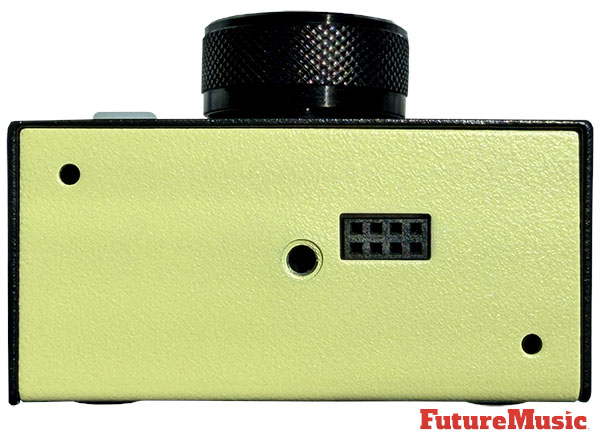
Step Audio’s Tempode costs $149 and is available now.
Price Note: Current net price excludes VAT, shipping, customs and transfer fees. Tempode ships from USA.
Power Supply Not Included: Requires standard “BOSS” type 9-volt DC, 2.1mm, 120mA min., tip negative power supply.
Accessories: Step Audio 1.5 foot 5-pin MIDI to 1/4″ TRS cable | Ring Active | Chase Bliss $9 / Step Audio 1.5 foot 5-pin MIDI to 1/4″ TRS cable | Tip Active | Strymon, Meris $9 / MIDI Splitty | 1 In 6 Thru Splitter / Repeater $129 / STATUS | MIDI Display, Clock, and Mapper $349
Cheers:
+ Exceptional clock stability for a pedalboard-sized device. Its crystal oscillator architecture, accurate to better than one 25,000th of a second, ensures that connected effects lock to a tight, jitter-free tempo reference that holds up reliably in live performance conditions.
+ Two-button interface is among the most accessible on any MIDI device in this category.
+ 128-program storage system with per-program tempo recall and optional Auto-Start on Program Change provides fully automatic tempo management across an entire setlist without manual intervention.
+ The inline injection architecture is genuinely clever and practically valuable, allowing the Tempode to augment an existing MIDI controller rather than compete with or replace it.
+ Build quality is robust and road-worthy, with riveted steel MIDI jacks.
+ Compatibility with hundreds of MIDI-equipped effects from virtually every major manufacturer.
+ Two-year warranty
Jeers:
— The Tempode has no numeric display, which means the current BPM value is entirely invisible to the user during performance.
— The device communicates only via traditional 5-pin DIN MIDI, with no TRS MIDI or USB MIDI connectivity, creating friction with the growing number of boutique pedals that use only TRS jacks.
— MIDI channel assignment is restricted to channels 1, 15, or a combination of both, a narrow and somewhat arbitrary limitation that can cause routing conflicts in complex rigs where other devices already occupy those channels.
— The tap tempo algorithm averages based only on the two most recent taps, which is more susceptible to timing errors than a multi-tap averaging approach.
— No analog clock output is provided, which excludes Eurorack modular synthesizers and vintage analog gear from direct integration without additional hardware.
— MIDI filtering is fixed and non-configurable, with System Exclusive and Aftertouch messages blocked entirely.
— For rigs with multiple MIDI-capable effects, the single MIDI output may necessitate the purchase of a separate MIDI splitter such as Step Audio’s own MIDI Splitty, adding additional cost and cable routing to what was intended to be a simple solution.
— The power supply is not included, and the device requires an isolated or discrete supply.
The Future: The next gen Tempode should retain the device’s core identity as a simple, reliable, rock-solid MIDI clock source while addressing the three or four gaps that actually limit its usefulness in contemporary rigs.
First off, it should add a small, bright OLED or seven-segment numeric BPM display so that the current tempo is always readable at a glance. Aside from tapping the footswitch, a user should be able to dial in a tempo via the display. It should incorporate both TRS Type A and Type B MIDI jacks alongside the traditional 5-pin DIN connections to ensure compatibility with the growing ecosystem of boutique mini-format MIDI effects.
Expanding the MIDI channel selection to cover any channel from 1 through 16 rather than the current restriction to channels 1 and 15 would be welcomed. Although our drummer liked the two-tap approach, the ability to implement a multi-tap averaging algorithm of at least four taps for more forgiving real-world tempo entry, would be a nice addition.
Adding add at least one 3.5mm analog clock output at a user-selectable voltage and sync rate would open up the Tempode to the Eurorack and CV-based market.