Sonarworks SoundID Reference Review
Long-Term Review
Sonarworks began life as a small Latvian software company built around the acoustic research of audio engineer Kaspars Sprogis, and its monitoring solution has not changed in more than a decade: the room and the transducer are not accurate, so measure the inaccuracy and make it right. That principle first reached a wide audience with Reference 3, the release that introduced ready made headphone calibration alongside a growing library of supported models, the core DSP feature set and the clean measurement workflow the brand became known for. Reference 3 also introduced the Systemwide application as a paid expansion in its 3.4 generation, establishing the now familiar split between a system level corrector and a DAW plug-in.
Reference 4 arrived in 2017 and became the version that cemented the company’s reputation. Over its life it gained a complete interface redesign, a reworked driver architecture with an ASIO output mode, user presets, a headphone selection wizard, MIDI mapping, a dark theme, and VST3 support on Windows. It was officially discontinued in 2021, with a final maintenance update extending compatibility to Windows 11 and macOS 12 Monterey before active development ended.
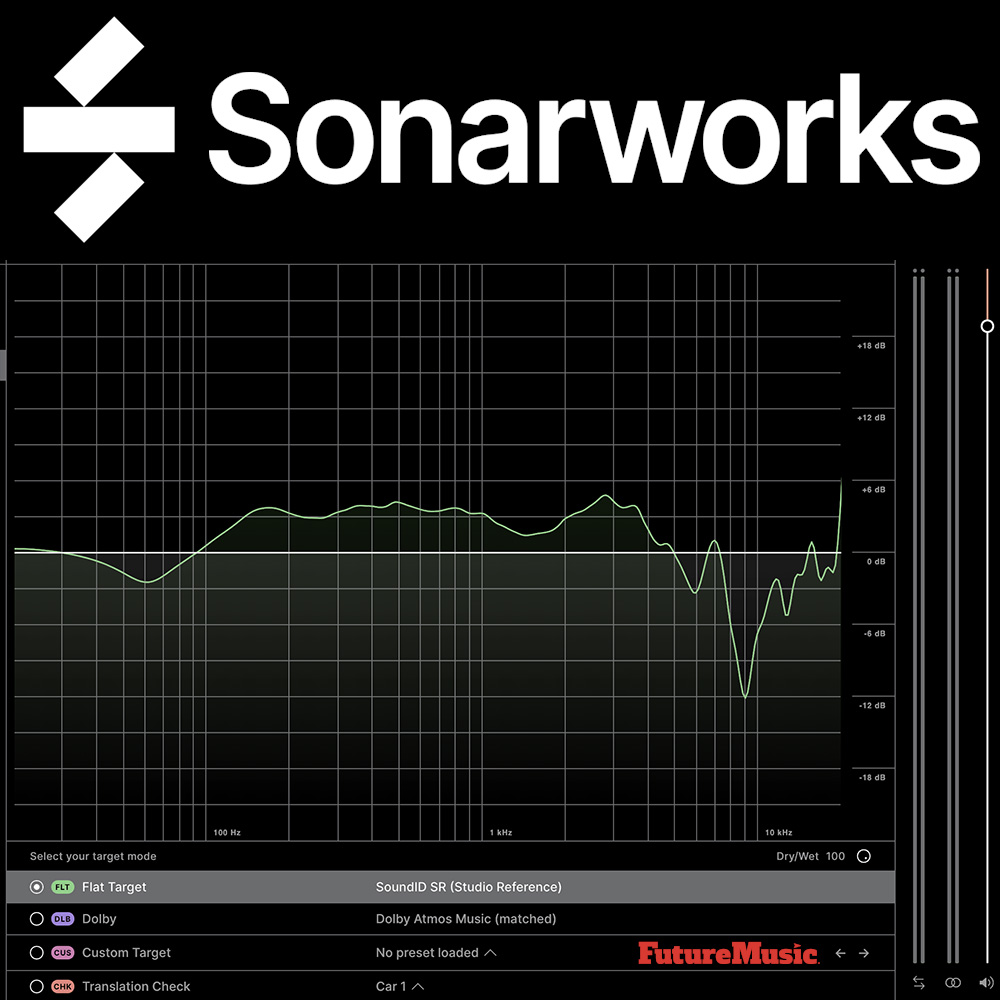
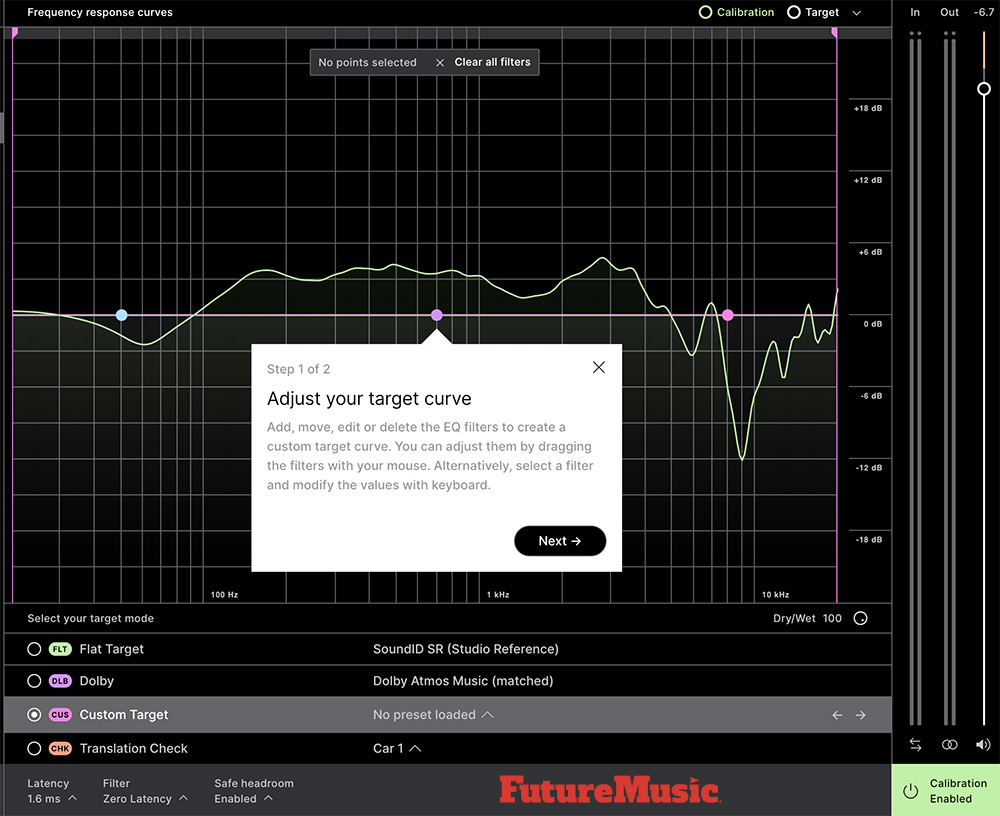
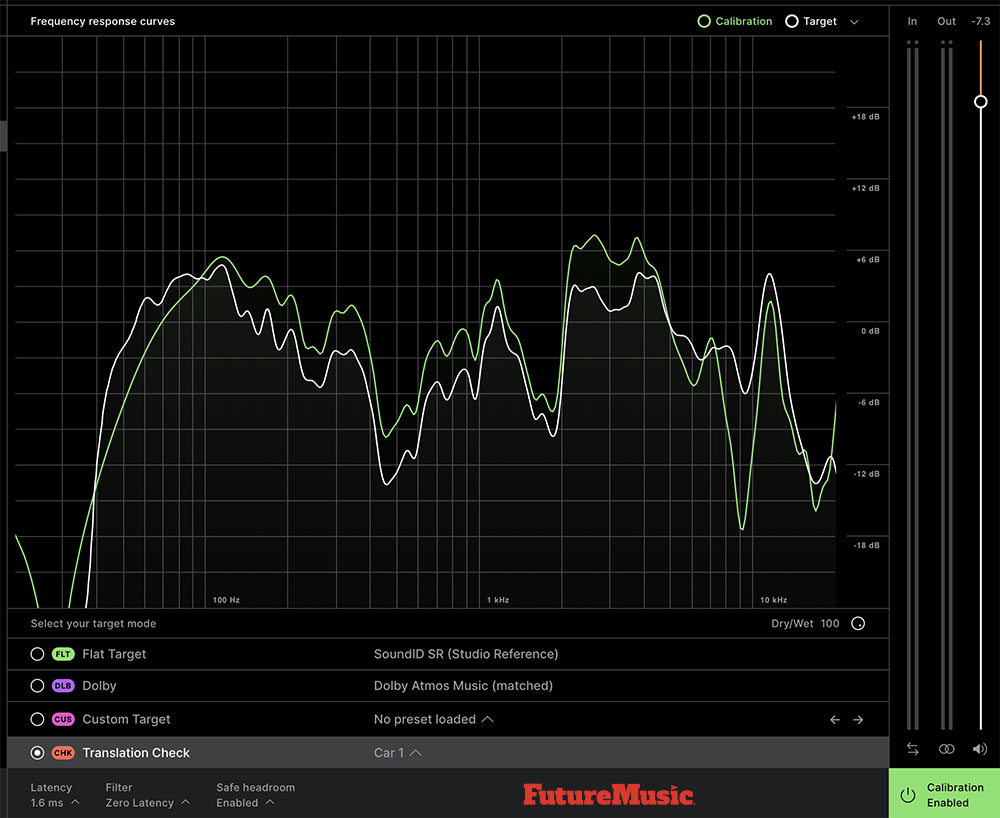
The current product, SoundID Reference, launched in March 2021 as the direct successor to Reference 4. The renaming was deliberate. Sonrworks had already introduced a consumer facing SoundID brand and a personalization app, and folding the professional tool under the same name unified the family. The new release introduced the Custom Target mode, a multiband parametric equalizer that allows users to reshape the correction target and limit calibration to a defined frequency range, as well as the Translation Check mode, which simulates how a mix will sound on a range of playback devices. On Windows it also debuted better low latency drivers, a system audio insert driver running at roughly seven milliseconds and a virtual ASIO to ASIO path, a marked improvement over the older virtual drivers that could add anywhere from twenty to several hundred milliseconds of delay.
From that foundation the software has advanced steadily rather than dramatically. Version 5.2 added VST3 and in plug in headphone browsing. Version 5.3 brought Apple Silicon native support, full multichannel measurement from 2.1 up to 9.1.6, and a dedicated Dolby Atmos Music target curve. Version 5.7 made Custom Target presets shareable between the app and the plug-in and opened Translation Check to any headphone profile. Version 5.8 introduced the Virtual Monitoring add on with near, mid, and far field virtual speakers plus ten spatial device targets. Subsequent releases layered in a deep roster of hardware integrations, including direct export to AVID MTRX and DAD interfaces with SPQ processing, Lynx Aurora, RME TotalMix Room EQ, ADAM A Series monitors, Merging Anubis, Grace Design, Audient ORIA and the smaller ORIA mini, and Universal Audio’s Apollo X interfaces.
The most significant recent enhancement is Virtual Monitoring PRO…
The most significant recent enhancement is Virtual Monitoring PRO, introduced in November 2025 with version 5.13.1. Where the original Virtual Monitoring synthesized generic studio spaces, PRO captures a personalized acoustic snapshot of your own room so you can carry that exact monitoring experience onto headphones anywhere. The latest builds in the spring and summer of 2026 refined this idea considerably, adding a reverb amount control, a listening spot alignment that time aligns the virtual speakers for sharper imaging, asymmetric listening spot detection and correction, as well as the ability to resume an interrupted measurement. The same window also brought macOS 26 Tahoe support, a redesigned onboarding flow and a sensible preference to hide features you do not own. Taken together, the headline capabilities today are speaker and headphone calibration, a library well past five hundred headphone profiles, three filter modes covering zero latency, mixed and linear phase operation, Custom Target, Translation Check, multichannel and immersive support to 9.1.6, the Virtual Monitoring tiers, and a wide set of hardware export paths.
Sonarworks SoundID Reference Review
Our multiple reviewers all conveyed one thing about SoundID Reference, it’s not the sexiest software, but it gets the job done without fanfare. Calibration software is supposed to subtract a lie, and the measure of success is that you stop thinking about it and simply get to work on your production. On that score, the software succeeds more often than not, and the consensus across our evaluators supports the impression, including praising the proprietary measurement technique as the key factor that makes the correction convincing, and the speaker results as accurate.
The speaker workflow runs through a separate Measure application that walks you through setup with illustrated, almost Ikea-style instructions. You position a measurement microphone at your listening spot, set gains, enter physical distances and then capture impulse responses from roughly thirty positions around your head, a process that takes about twenty minutes. The result is a profile that the standalone app or plug-in then inverts to pull your room toward a flat target. The flat target can be “a genuine shock” the first time you hear it, particularly if you have lived for years with a room’s flattering bumps. The remedy is one of the software’s smartest touches: a wet and dry control that does not blend two signals but instead scales the entire correction up or down by percentage, so dialing it back to sixty percent gives you a gentler nudge without introducing the phase artifacts a true parallel blend would. Pairing that with the choice of zero latency, mixed, or linear phase filters means you can choose your tradeoff between tracking latency and phase precision, which is exactly the kind of flexibility serious work demands.
Headphone calibration is really the daily workhorse. There is no measurement at all. You pick your model from the list, the profile loads and the bias of that headphone is flattened against a target designed to emulate neutral speakers. Our testers often described the moment of toggling calibration on and off as feeling like listening to two different tracks, with one tested pair losing its bass softening and gaining punch and presence. The averaged profiles cover the model rather than your specific unit, and for those who want to close that gap Sonarworks offers an individual calibration service, sending you a profile measured for your exact headphones with separate left and right curves and a claimed deviation under one decibel. That claim, and the broader idea that two different headphones equalized to the same response will sound essentially alike, is grounded in the well understood fact that the ear is far more sensitive to frequency response than to low levels of distortion.

What elevates SoundID Reference above a sophisticated equalizer is the surrounding workflow. Translation Check lets you audition a mix through simulations of earbuds, laptops, televisions, smartphones and more without leaving your chair, which shortens the tedious ritual of bouncing to the car. Custom Target turns the corrector into a creative target shaping tool rather than a rigid flat enforcer. The plug-in formats cover most DAWs and the integration list means owners of high-end interfaces can often imprint correction directly into hardware DSP and skip the plug-in entirely.
The Virtual Monitoring PRO direction, capturing your own room to take with you, is a genuinely forward looking answer to the post pandemic reality of engineers working across multiple spaces. The grand claim that you can hear your music accurately for the first time, voiced in the company’s testimonials by Grammy level engineers, is marketing, but it is marketing built on a tool that earns a great deal of its reputation in ordinary daily use. Your license allow you to run the software on three machines.

The easiest way for electronic musicians to get their music onto Spotify, Apple Music, iTunes, Amazon Music, Tidal, Instagram, Facebook, TikTok, Pandora, Twitch & much more! Click the banner above or the Go Button to save 7% off of your signup! GO!
For all its competence, SoundID Reference carries a set of long running frustrations that the current release has eased but not erased. The most persistent concern the computer system issues rather than the calibration science. Users have reported for years that the app can fall into a non-functional state after the computer wakes from sleep, after an audio interface powers on, or even when a display’s audio output appears, requiring a restart to recover. There are reports of latency creeping upward during long sessions and of preset switching that feels sluggish. None of these touch the accuracy of the math, but they undermine the trust that is the entire point of a reference tool, and a corrector you have to babysit is a corrector you eventually leave switched off. One of our testers couldn’t load a headphone profile, which was traced to Sonarworks servers being temporarily down.
For all its competence, SoundID Reference carries a set of long running frustrations that the current release has eased but not erased…
The platform also runs unevenly across operating systems. Sonarworks itself has acknowledged that while the Windows drivers are genuinely low latency, the macOS HAL driver still has room for improvement and that deeper work on it was planned. The product remains Mac and Windows only, with no Linux client and no offline activation, so an internet dependent login sits between you and software you have paid for. For a tool aimed partly at touring and field use, that online requirement is a poor choice.
On the creative side, the target editing has not kept pace with its own ambitions. Users have missed the simple tilt control from earlier versions and have asked for control over shelf filter slopes, and node editing in the Custom Target view has been described as sluggish. The correction itself remains fundamentally a frequency response operation. It cannot undo a room’s time domain misbehavior, the ringing and decay of untreated modes, which means the software still works best as a partner to acoustic treatment rather than a replacement, a nuance the marketing doesn’t address. Headphone coverage, while past five hundred models, still arrives reactively, and the averaged profiles cannot account for the unit to unit variance that the paid individual calibration exists precisely to solve. Sonarworks does allow users of new headphone models to submit requests for profiles. There is also another critique worth noting, across several years the updates have leaned heavily toward hardware integrations and bug fixes, with the genuinely new ideas, Virtual Monitoring and then its PRO tier, spaced far apart. The next version needs a clear leap in the core experience and performance, not another interface partner.
Master MIDI Clock Shootout: Step Audio Tempode vs Sim’n Tonic Nome 2
The need for a master MIDI clock to manage a dawless desktop studio, an Eurorack setup, and even a DAW has never been bigger. After getting a ton of requests for a master MIDI clock recommendation, we decided to pit two of the leading contenders against each other so that our readers could determine which device is best for their application. Step Audio Tempode vs Sim’n Tonic Nome II
SoundID Features:
- Speaker and headphone calibration: Accurate speaker measurements and calibration for headphones and stereo or multichannel setups. Over 500+ supported headphone models. Software supports speaker setups from stereo, to 5.1. and up to 9.1.6. Atmos rooms.
- DAW plug-in and standalone app: Works in all major DAWs like Cubase, Logic Pro X, Pro Tools, Reaper, Ableton Live, FL Studio, Presonus Studio One as a plug-in, and as a standalone Systemwide app calibrating audio across your entire system.
- Translation check: Simulate a wide range of listening environments, from a car stereo to a high-end hi-fi system.
- Ability to control target curve and modes: Make custom adjustments to the target curve in real time and manually select the frequency range that the calibration will be applied to.
- Latency processing: Select between different filter processing modes – zero latency for live tracking, mixed for greater flexibility, or linear phase to ensure there’s no phase distortion.
- Virtual Monitoring: Realistic simulations of high quality near, mid and far field speakers calibrated to the reliable flat reference sound. Spatial simulations of consumer devices such as cars, laptops, TVs and a smartphone.

Support Ambient Music
StretchMetal and the Atmospheric Music Alliance are raising $5000 to support ambient music events taking place across the United States, and virtually with the Atmospheric Music Alliance. Contributions will go directly toward artist and venue fees, production support and the continued development of AMA. Please consider donating today!
Conclusion
Sonarworks SoundID is a mature, accurate and deeply integrated tool that does the hard part, the science of correction and it has earned its place as a near default in studios worldwide. The points it loses are for reliability quirks in the system level app, an uneven cross platform experience, and a recent update cadence that has prioritized polish and partnerships. That said, its better than almost anything else available, and if they can iron out some of the annoying quirks on the Apple platform, it will be without peer. Recommended.
Sonarworks SoundID costs: $99 For Headphones; $249 For Speakers & Headphones; $499 For Multichannel; $129 Virtual Monitoring and $299 for Virtual Monitoring Pro. All tiers are available now.
Price Note: Prices are quoted in US dollars and are different in other countries and geographical locations.
Price Tiers: Read the pricing tiers carefully; they can be confusing.

Cheers:
+ Measurement based correction that is widely regarded as the most perceptually convincing in its class.
+ A headphone library well past five hundred models with one click profile loading and no measurement required.
+ Genuinely useful workflow tools, including Translation Check device simulation, Custom Target parametric shaping, and a percentage based wet and dry control that avoids phase artifacts.
+ Three filter modes covering zero latency, mixed, and linear phase, giving real control over the latency versus phase tradeoff.
+ Full multichannel and immersive support up to 9.1.6 with a dedicated Dolby Atmos Music target.
+ Broad hardware integration roster, from Universal Audio Apollo X to RME, AVID MTRX, Audient ORIA, Lynx, and ADAM, allowing correction to be imprinted directly into hardware.
+ Virtual Monitoring Pro room cloning is a forward looking feature for engineers working across multiple spaces.
+ Mature ecosystem, a three machine license, a 21 day full trial, and clear upgrade and education pricing.
Jeers:
— The Systemwide corrector can become unstable after sleep, device changes, or interruptions, sometimes needing a restart.
— The macOS driver still lags the Windows drivers on latency, an issue Sonarworks has openly acknowledged.
— Online login is required and offline activation was removed, an awkward limitation for mobile and field use.
— No Linux support, and the professional tool is desktop only.
— Target editing lacks shelf slope control and the older tilt control, and node editing can feel sluggish.
— Correction is magnitude focused and cannot fix a room’s time domain problems, so acoustic treatment is still needed.
— Recent development has favored integrations and fixes over bold new core capabilities.
The Future: If the next version is to feel like a true generational step rather than another update, Sonarworks should turn its attention back to the foundation. First off, a rebuilt, rock-solid macOS driver that matches the low latency and resilience of the Windows path, a Systemwide corrector that survives sleep, hot swapped interfaces, and long sessions without a mouse jiggler, and an offline activation option for engineers who work when there isn’t internet connectivity. On the audio side we would like to see the correction reach beyond pure magnitude into smarter, optional time domain treatment of room decay, alongside a more expressive target editor with shelf slope control and the return of the tilt curve, and a headphone library that grows proactively with automatic model detection. Crowning all of it, the obvious next frontier is to make the Virtual Monitoring Pro room cloning fast, effortless, and central rather than a separate measurement chore.