Brainworx bx_pulsar Delay Plug-In Review
bx_pulsar, the new reverb plug-in for Mac and PC from Brainworx hit our Sound Lab and we were able to give it a whirl before its official debut today. The plug-in takes its interface design cues from Native Instruments’ Massive X, as well as Baby Audio’s Crystalline, but thankfully keeps things upfront and simple.

For a limited time only! Up to 80% off all Waves Bundles. PLUS click the banner above or the Go button for an additional 10%! This is Waves best deal yet! Get yours today before this special ends! Go!
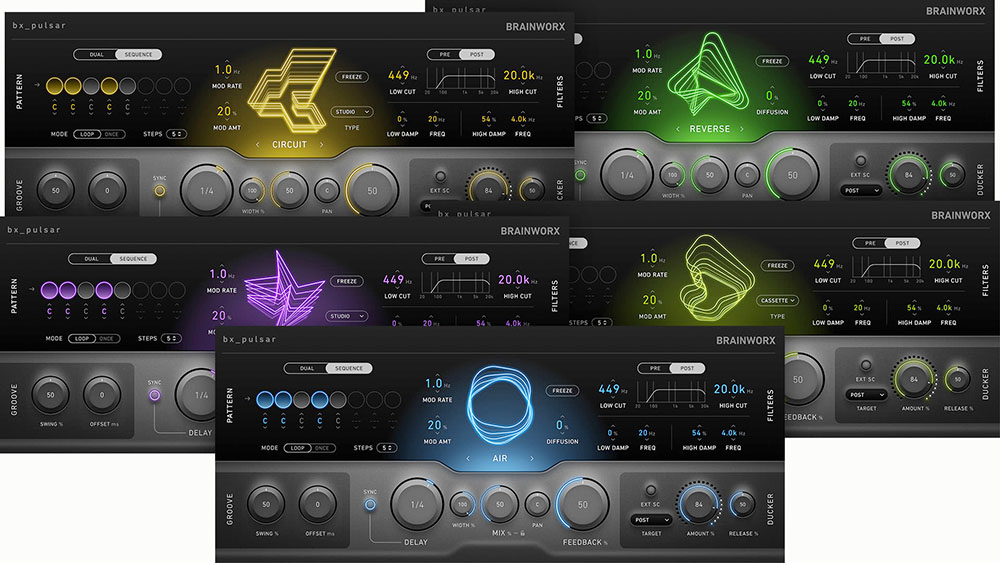
bx_pulsar features five delay algorithms, Air, Magnetic, Circuit, Aether and Reverse that nod somewhat to the history of delay, although we would have loved if they included some metallic action, but there is plenty of types to choose from to start crafting your own style.
bx_pulsar features five delay algorithms, Air, Magnetic, Circuit, Aether and Reverse that nod somewhat to the history of delay…
The Air delay is very clean and transparent with the ability to add symphonic diffusion and modulation. Magnetic calls out to Space Echo and Reel To Reel machines of old, complete with signal dilapidation and distant memories. Circuit is modeled after bucket-brigade devices. Reverse is a reversed delay with the ability to wash over the transients and blur the lines. Finally, Aether is the most experimental of the five with grain processing, pitch shifting and Stranger Things.
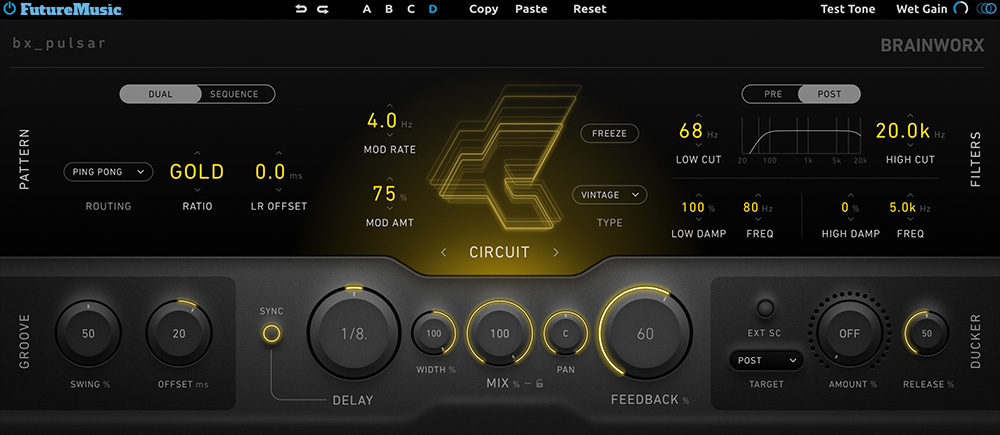
One of bx_pulsar’s core attributes is speed. The layout of the interface is straight-forward, sensical and ready for action. It doesn’t take long for a new user to jump right in and start designing a delay to meet their needs. The algorithms are tasty, detailed and sound great. Another excellent feature is bx_pulsar’s delay sequencer. You can employ up to eight steps in a sequence and pan each one to a different place in the stereo spectrum. Marrying this with the Delay timing and the Groove section can get you on the express track to sound design heaven. The best part? Even when things get a little psycho, bx_pulsar doesn’t get muddy and disjointed.
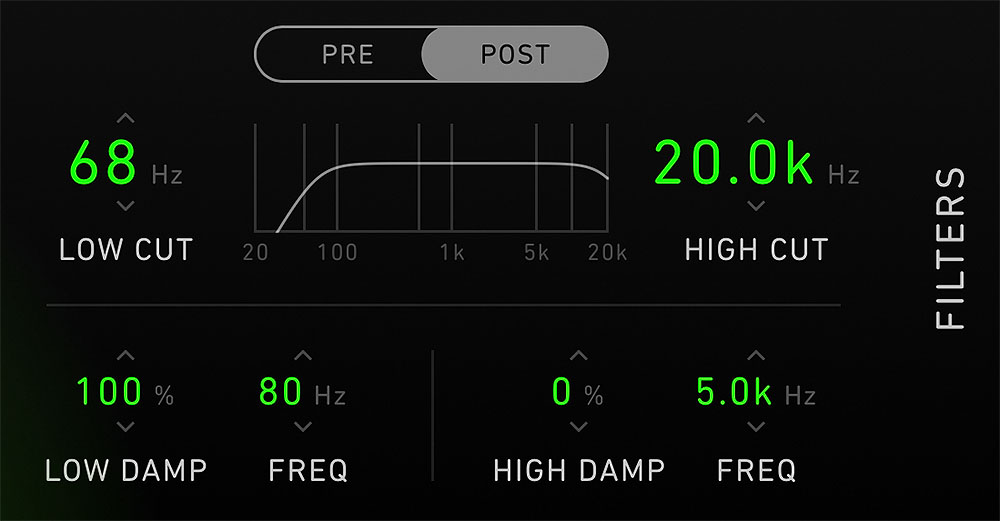
The Filter section allows you to tame spots on the low or high end of the frequency spectrum, but is somewhat handicapped in that you can’t have different settings for Pre/Post delay – it’s one setting for both. The Filter does feature some dampening controls, but it can’t be modulated, nor can the filter be assigned to the sequencer for sweeping movement. There is a Ducker on the lower left of the faceplate that can be sidechained providing the ability to control the volume as well as the length of the delay.
We really liked the four bank slots, A, B, C, D, allowing you to dial in different delay settings on each bank, and then switch between them. You can even copy and paste one bank’s settings to another bank. Unfortunately, the Bank section replaces the ability to actually save presets, which is a complete and dumbfounding miss. Another bummer is that bx_pulsar has a cool reset feature called Clear in the middle of the animated center section. Press this and the delay resets to zero and the buffer is immediately flushed. This would be awesome for drops and breakdowns, but unfortunately, it cannot be automated in a DAW (Digital Audio Workstation).
There’s a Freeze function to the right of the animated center, which creates an endless tail based on the current audio material in the buffer, while the input is muted. You still have the ability to tweak the delay, creating a plethora of sound design opportunities, but certain parameters will end up deteriorating the signal beyond repair. No worries, just restart the process. We suggest recording everything you do to another track in your DAW to create a nice library of samples.


MIDI Designer Is Now Free!
MIDI Designer Pro X is now free to download! MIDI Designer Pro X is a professional-grade MIDI controller platform for iPhone, iPad and Mac. User-contributed layouts let you control everything from Ableton to Yamaha out of the box. Go beyond hardware and express your musical vision. Check out out now!
You’ll notice that there are two Modulation controls on the left of the animated center. Both of these attributes change based on the delay type. For example, under Air the two are Rate and Amount, while Reverse is Compression and Diffusion Size.

Ping Pong Delay vs. Criss Cross Delay
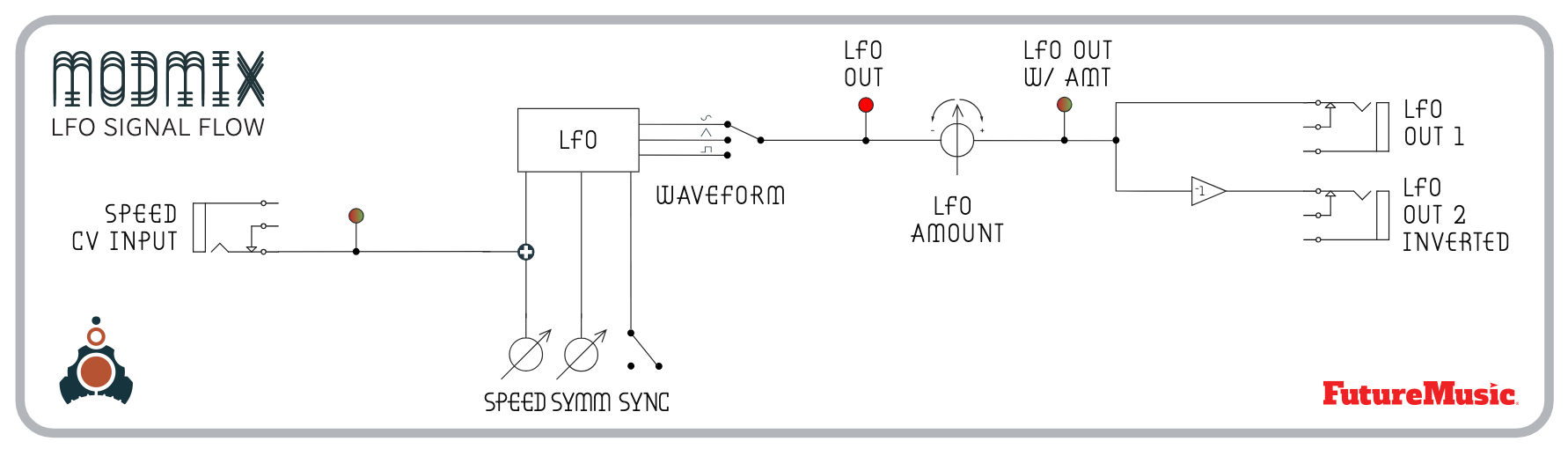
Let’s float back to the Pattern section, which features the aforementioned Sequence and Dual. Dual is a more traditional delay type that contains four different routing options, Stereo In, Mono In, Ping Pong and Criss Cross. Mono In and Stereo In are self-explanatory, and you may be familiar with Ping Pong, which sums the Left and Right channels and feeds them into the Left Delay channel and then into the Right Delay channel and then back into the Left Delay channel to get that bouncing effect. (See the Delay Flow Chart above. —Ed.)
Criss Cross is a variation of Ping Pong that doesn’t sum the two signals before sending it into the delay engine. Both channel information is kept separate as it’s fed into the Left Delay channel and Right Delay channel, but then they feed their delayed outputs into each other undulating back and forth after each repetition. Depending on the delay algorithm, Criss Cross can get watery and psychedelic, and dialing up the diffusion will give your material a sweet dispensary haze, providing a nice flavor to your loops or synth stabs.

The easiest way for electronic musicians to get their music onto Spotify, Apple Music, iTunes, Amazon Music, Tidal, Instagram, Facebook, TikTok, Pandora, Twitch & much more! Click the banner above or the Go Button to save 7% off of your signup! Go!
Brainworx bx_pulsar Features:
- Five Delay Mode algorithms: Air / Magnetic / Circuit / Aether / Reverse
- Dual Mode: provides mono and stereo routing plus Ping Pong and Criss Cross options
- Sequence Mode: features an 8-step delay sequencer with per-step panning, one-shot/loop options, and step-based timing.
- Sub-Type options
- Ducking Compressor (Post, Feedback or both) with sidechain
- Swing and Global Offset for finetuning the groove
- L/R Time Offset
- Basic High/Low cut filtering with some frequency damping
- Swing and Global Offset for groove control
- Freeze Control for Sound Design
- Wet Gain Mix
- Fun GUI animation
- Test Tone burst for previewing
- Supported Plug-in Formats: AAX Native, AU, AAX AudioSuite, VST2, VST3
- Supported Operating Systems: macOS 15 down to macOS 12 / Windows 11 down to Windows 10

Polyend Synth Review
FutureMusic spent considerable amount of time with Polyend’s new digital synthesizer, which they simply dubbed Synth, for this long-term review. Read our comprehensive Polyend Synth Review to find out more!
Conclusion
Despite some head-scratching decisions by Brainworx, bx_pulsar brings a lot to the table. The quality of results cannot be denied and at this price point, we’re willing to live with some of the deficits, which can certainly be addressed in future firmware updates if users apply some pressure. Recommended.
Brainworx bx_pulsar Rating 86%
Cheers:
+ Sound Quality
+ User Interface
+ Criss Cross
+ Sequencer
+ Bank Slots
+ Groove Control
+ Freeze For Sound Design
Jeers:
– Clear Can’t Be Automated
– Can’t Save Presets
– Diffusion Could Be Better
– Dampening
Brainworx bx_pulsar costs $69 / €69, but is on sale for $50 / €50 for limited time.

The Future: The inability to save your own presets needs to be addressed in short order. We’re not sure what lead to this decision, but it’s a bad one. Brainworx needs to fix this immediately. The Diffusion algorithm was hit or miss. Some times it added a nice hazy flavor, other times it didn’t translate well. It may need a Fine/Course control to allow the user to bend it to their will. The Filter section could be better. It doesn’t sound bad, but it just should do more, maybe a lot more. Finally, allow Clear to be automated.